No of Channel / Playlist Videos to List

TubeSheet Google Sheets Add-on
This guide is for the official TubeSheet add-on. Install it to keep track of YouTube video & channel metrics directly inside Google Sheets.
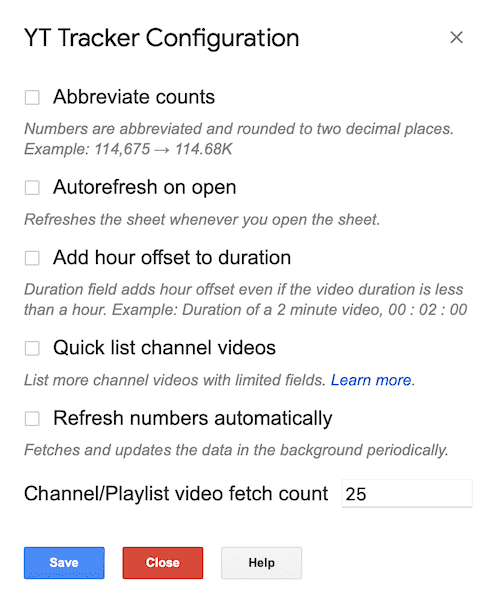
By default, when you select Fetch Channel Videos/Fetch playlist videos from the add-on menu 25 channel videos are fetched. You need to change a config to list more videos & its metrics to the sheet. Select Extensions → TubeSheet → Settings → Customization, in the Channel video/playlist fetch count, input a number and save. That many latest videos from the channel/playlist will be listed when you try to list channel/playlist videos.

Ready to track YouTube metrics at spreadsheet speed?
Install TubeSheet from the Google Workspace Marketplace today and start automating YouTube video and channel analytics tracking directly inside Google Sheets.