Scheduled YouTube™ Metrics Update

TubeSheet Google Sheets Add-on
This guide is for the official TubeSheet add-on. Install it to keep track of YouTube video & channel metrics directly inside Google Sheets.
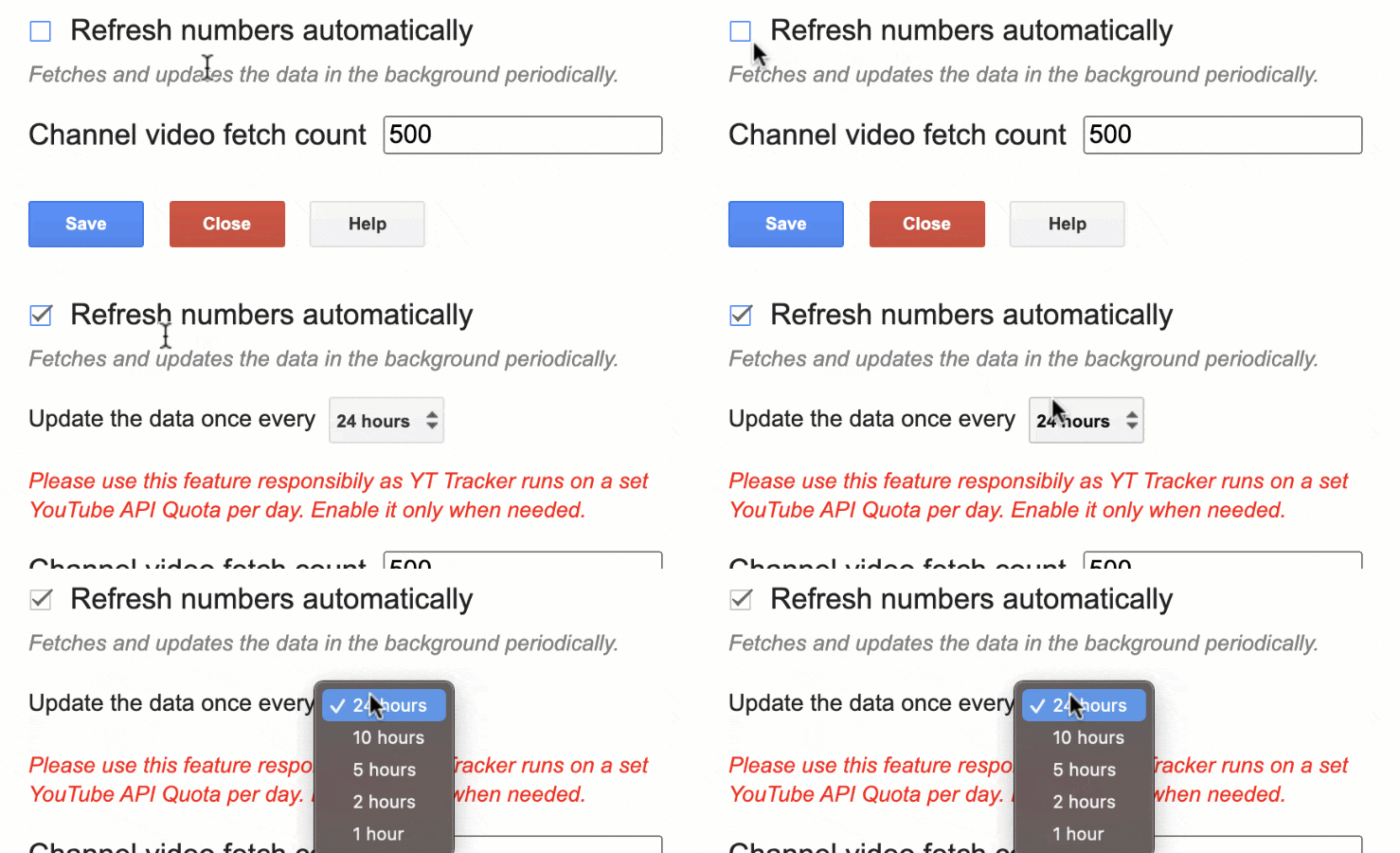
Do you know you can update the metrics in the Google Sheet™ in the background even when the sheet is not open? You need to enable a config for that, select Extensions → TubeSheet → Settings → Customization, check Refresh numbers automatically.
Now, a dropdown will appear. There you can select once in how many hours the data has to be updated automatically. The options available are 1, 2, 5, 10 or 24 hours.

Ready to track YouTube metrics at spreadsheet speed?
Install TubeSheet from the Google Workspace Marketplace today and start automating YouTube video and channel analytics tracking directly inside Google Sheets.