Add Hour Offset to Duration

TubeSheet Google Sheets Add-on
This guide is for the official TubeSheet add-on. Install it to keep track of YouTube video & channel metrics directly inside Google Sheets.
TubeSheet lists duration of the video along with many useful metrics. When the video duration is less than a hour, it will be in mm:ss format. It won't have the hour offset. To get the hour offset in the duration column, you can select Extensions → TubeSheet → Settings → Customization, check Add hour offset to duration and save.
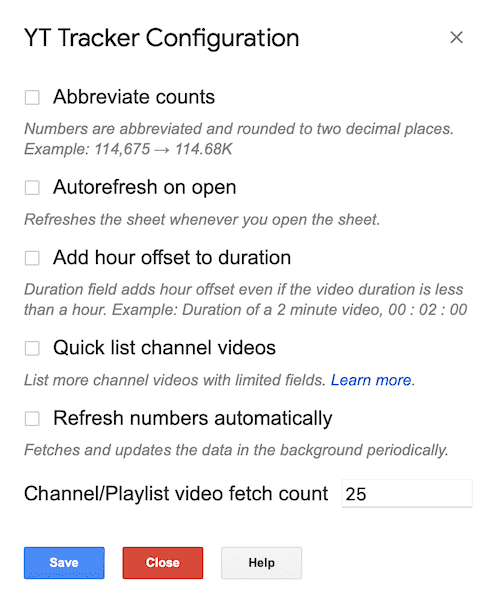
For instance, if the video duration is 6 minutes and 36 seconds, you will see 00:06:36 in the duration column against that video.

Ready to track YouTube metrics at spreadsheet speed?
Install TubeSheet from the Google Workspace Marketplace today and start automating YouTube video and channel analytics tracking directly inside Google Sheets.