List more channel videos with limited fields

TubeSheet Google Sheets Add-on
This guide is for the official TubeSheet add-on. Install it to keep track of YouTube video & channel metrics directly inside Google Sheets.
When a channel has tens of thousands of videos, TubeSheet may not be able to list all the channel videos due to a limitation imposed by Google (Check issue #3). In that case, you can enable a config to list the maximum number of videos possible. The trade-off of this workaround is your sheet will contain only a limited number of fields. Those fields are,
- Title
- Description
- Channel Name
- Channel ID
- Published on
- Thumbnail
- Standard thumbnail URL
- Max Res thumbnail URL
- Medium thumbnail URL
- Default thumbnail URL
- High quality thumbnail URL
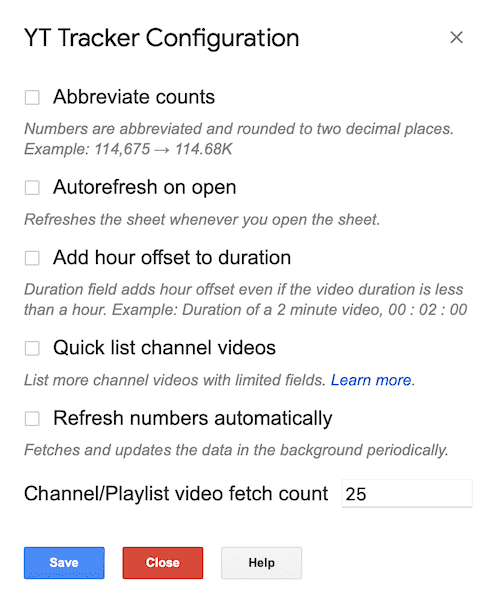
You can fetch channel video IDs using this method and paste them into a videos sheet to get more information about the videos. Select Extensions → TubeSheet → Settings → Customization, check Quick list channel Videos and save to enable this config.

Ready to track YouTube metrics at spreadsheet speed?
Install TubeSheet from the Google Workspace Marketplace today and start automating YouTube video and channel analytics tracking directly inside Google Sheets.